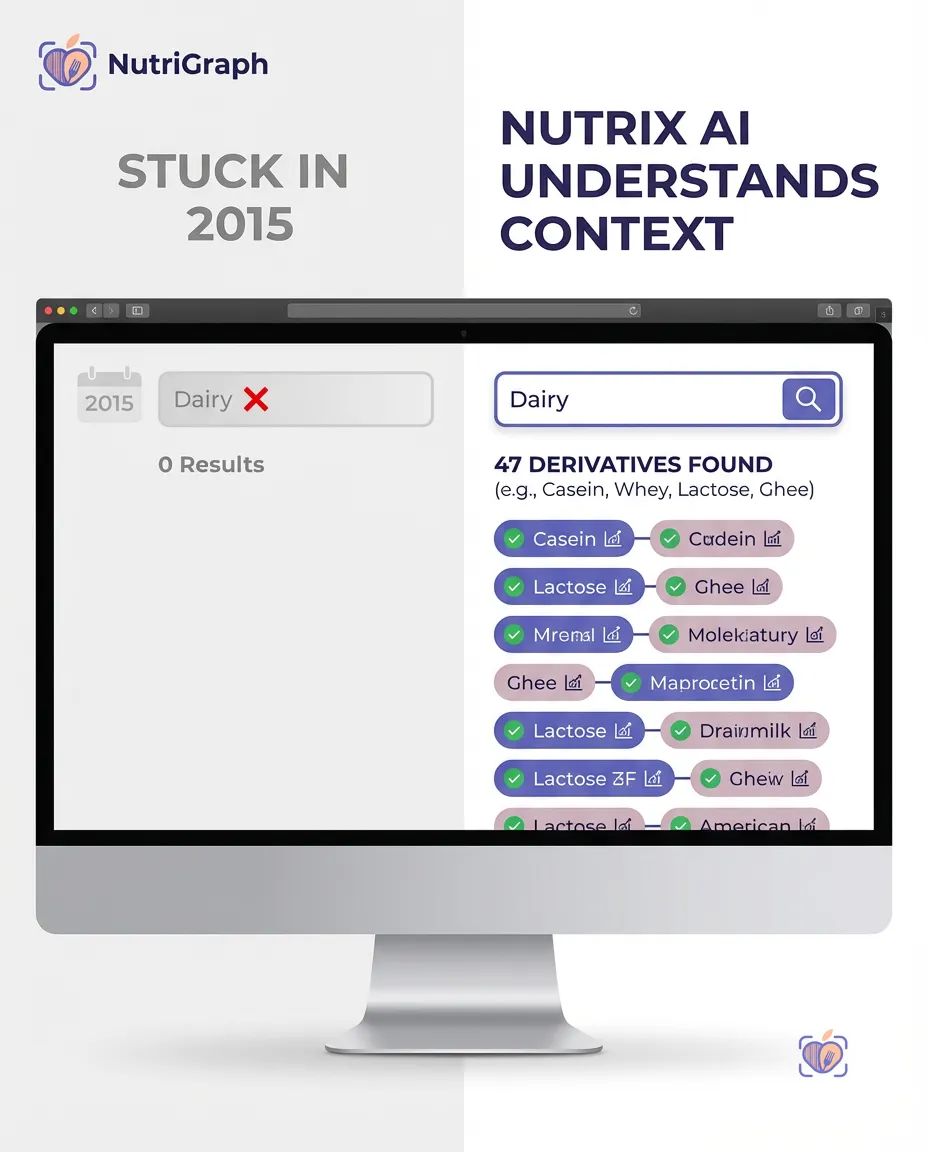
Your App’s Most Critical Feature is a Black Box
Let’s be honest. You’re a CTO, a Lead Developer. You’re building the next great food, health, or diet application. You’ve architected the services, planned the data models, and sketched the UI. But there’s one feature that keeps you up at night: the barcode scanner.
It seems simple. Point a camera, get a product. But the reality is a swamp of implementation details. You and your team spend weeks fighting with the low-level APIs in ZXing for Android or AVFoundation for iOS. You wrestle with camera permissions, focus modes, and decoding algorithms. Finally, it works. You scan a box of crackers, the numbers 8901234567890 appear on the screen, and you fire off a request to your backend.
And that’s when the real problem emerges.
Your nutrition data provider returns a 404 Not Found. Or worse, it returns the wrong product. You realize your expensive, enterprise-grade barcode lookup API food database doesn’t recognize the 13-digit EAN code from that European import. It only knows 12-digit American UPCs. Or it recognizes the code but gives you back a product name and a calorie count, leaving you to guess at allergens, dietary flags, and certifications.
The barcode scanner isn’t just a technical hurdle; it’s the moment of truth for your user experience. When it fails, your app fails. The user churns, and your elegant architecture means nothing.
This isn’t a front-end problem. It’s a data problem. And today, we’re going to solve it, end-to-end. We’ll show you how to pair a robust front-end scanning library with a truly intelligent backend—the NutriGraph API—to build a feature that not only works, but delivers unparalleled value to your users.
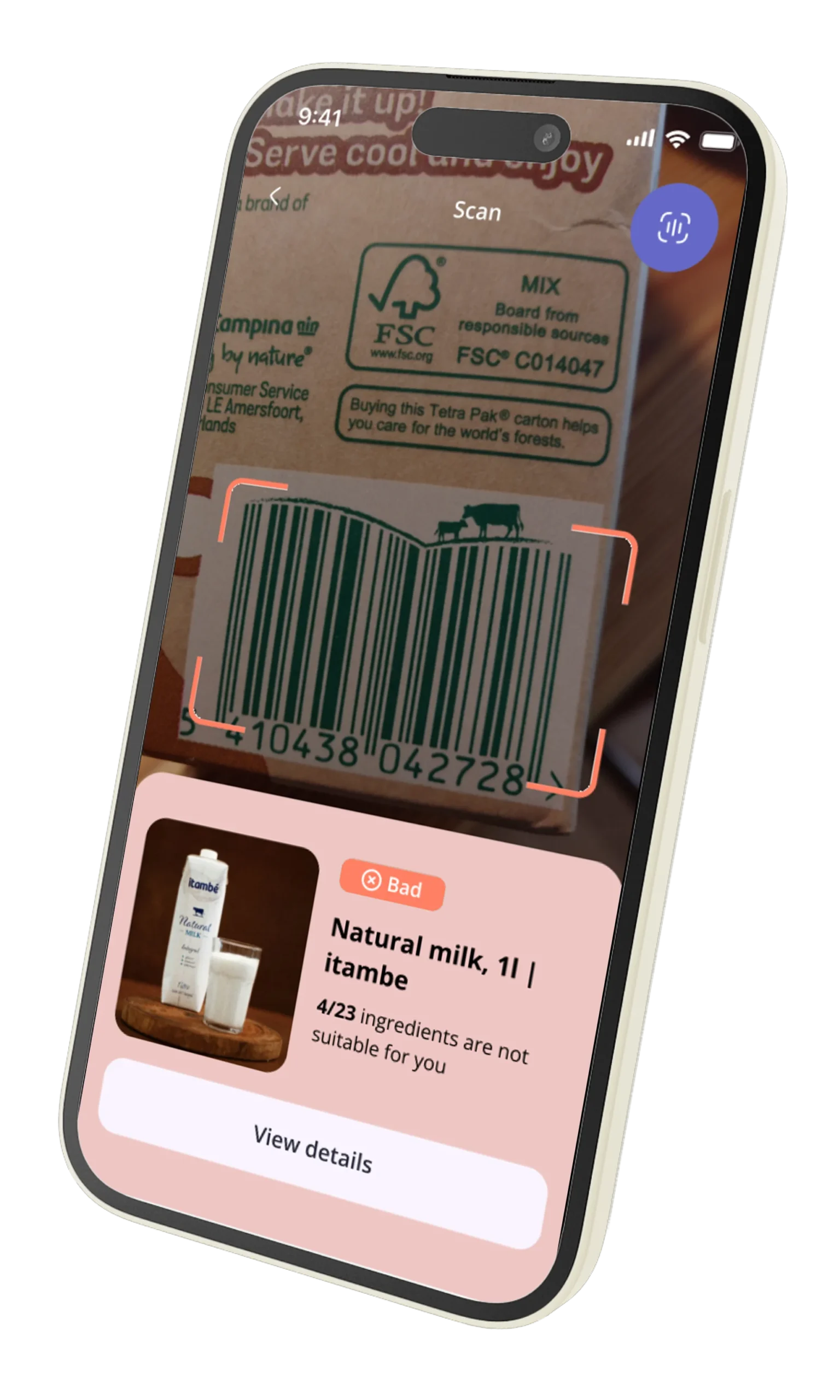
What a Barcode Lookup Actually Returns: UPC vs. EAN and Why It Matters
Before writing a line of code, you must understand what your scanner is actually reading. A barcode is just a visual representation of a Global Trade Item Number (GTIN). Your API’s ability to handle the different formats is non-negotiable.
Most developers think of the 12-digit UPC code. But the global standard is the 13-digit EAN. The distinction is critical.
| Barcode Type | Digits | Common Region | Technical Detail |
|---|---|---|---|
| UPC-A | 12 | North America | A subset of EAN-13. Can be converted to EAN-13 by prepending a ‘0’. |
| EAN-13 | 13 | Worldwide | The global standard. Most modern products, including those in the US, use EAN-13. |
| ISBN | 13 | Books | A specific use case of the EAN-13 format, typically starting with 978 or 979. |
The CTO’s takeaway: Your barcode lookup API for food must be EAN-native. If your API provider treats EAN-13 as an edge case or requires you to manually strip leading zeros to match UPC-A formats, you are building on a fractured foundation. This is a common point of failure for US-centric APIs that haven’t invested in a global food database.
A modern, competent API endpoint should handle any valid GTIN you send it, whether it’s a 12-digit UPC from a box of Kraft Mac & Cheese or a 13-digit EAN from German dark chocolate. The logic should be on the server, not in your client-side code.
Choosing the Right Barcode Scanning Library For Your Stack
Now that we understand the data, let’s capture it. The goal here is not to reinvent the wheel but to choose a mature, well-supported library that handles the camera complexities for you. Your job is to orchestrate; let the library handle the low-level decoding.
Here are our recommendations based on your target platform:
For Native Mobile (iOS & Android)
-
iOS: AVFoundation
- Why: It’s Apple’s native framework. This means maximum performance, seamless integration with the OS, and no third-party dependencies. It’s stable, powerful, and the clear choice for any native iOS app.
- Implementation Note: You’ll work with
AVCaptureSession,AVCaptureDevice, andAVCaptureMetadataOutput. The key is configuring themetadataObjectTypesto include.ean13and.upca.
-
Android: ML Kit Barcode Scanning (via CameraX) or ZXing (“Zebra Crossing”)
- Why ML Kit: Google’s modern, on-device machine learning solution is the preferred approach. It’s part of the Jetpack libraries, integrates beautifully with CameraX for a streamlined camera lifecycle, and is highly optimized.
- Why ZXing: The battle-hardened veteran. ZXing is an open-source library that has been the de-facto standard for years. While more complex to integrate than ML Kit, it’s incredibly robust and gives you fine-grained control if you need it.
For Web & Progressive Web Apps (PWAs)
- QuaggaJS or Scandit WebSDK
- Why QuaggaJS: A great open-source option for web-based scanning. It uses
getUserMediato access the device camera and performs decoding directly in the browser. It’s highly configurable but may require more tuning for performance across different devices. - Why Scandit (Commercial): If you have the budget and demand enterprise-grade performance on the web, Scandit is a leader. Their WebSDK provides near-native scanning speed and accuracy in the browser, but it comes with a licensing fee.
- Why QuaggaJS: A great open-source option for web-based scanning. It uses
Regardless of your choice, the end goal is the same: to reliably extract a string of numbers (the GTIN) from the device’s camera feed. Once you have that string, you’re ready to unlock its meaning.
Making Your First Barcode -> Food Data API Call
This is the moment of truth. You have the GTIN. Now, you need to turn that meaningless number into actionable intelligence. With the NutriGraph API, this is a single, clean, RESTful API call.
Our API is built on a simple premise: one product, one endpoint. No complex queries, no GraphQL gymnastics. Just the code.
The endpoint is structured as follows:
https://api.nutrigraphapi.com/v1/product/{gtin}
Let’s use the EAN-13 code for our “Artisan Seed Crackers”: 8901234567890.
You’ll need your developer API key, which you can pass in the X-API-KEY header.
cURL Example
Here’s how you’d test the endpoint directly from your terminal. Replace YOUR_API_KEY with the key you pull from our dashboard.
curl -X GET \
  'https://api.nutrigraphapi.com/v1/product/8901234567890' \
  -H 'X-API-KEY: YOUR_API_KEY'
JavaScript Fetch Example (Client-Side)
Here’s how you would integrate it into your web or React Native application using the standard fetch API.
const getProductData = async (barcode) => {
  const apiKey = 'YOUR_API_KEY'; // Store this securely, not hardcoded!
  const url = `https://api.nutrigraphapi.com/v1/product/${barcode}`;

  try {
    const response = await fetch(url, {
      method: 'GET',
      headers: {
        'X-API-KEY': apiKey,
        'Content-Type': 'application/json'
      }
    });

    if (!response.ok) {
      // Handle non-200 responses (404 Not Found, 401 Unauthorized, etc.)
      throw new Error(`API call failed with status: ${response.status}`);
    }

    const data = await response.json();
    console.log('Product Data:', data);
    return data;

  } catch (error) {
    console.error('Failed to fetch product data:', error);
    // Implement user-facing error handling here
  }
};

// Example usage after your scanner library returns a code
getProductData('8901234567890');
This is it. A single, logical request. We handle the complexity of matching UPCs, EANs, and our internal product graphs on our end. You send us a number; we send you the complete story of that product.
Parsing the Response: Name, Allergens, and Dietary Tags in One Call
Mediocre APIs give you data. Great APIs give you intelligence. The difference is in the depth and structure of the response. Many barcode lookup API food services will return a product name, brand, and maybe a partial nutrition label. This forces you to make subsequent API calls or run your own complex logic to determine if a product is vegan, gluten-free, or contains peanuts.
This is inefficient and brittle. NutriGraph is designed to give you the definitive answer in a single call.
Here is the exact, unedited JSON payload you receive for our “Artisan Seed Crackers” (8901234567890).
{
  "status": "success",
  "gtin": "8901234567890",
  "productName": "Artisan Seed Crackers, Rosemary & Sea Salt",
  "brand": "Good Pantry Co.",
  "servingSize": "30g",
  "servingsPerContainer": 4.5,
  "verified": true,
  "lastUpdated": "2023-10-27T10:00:00Z",
  "nutrition": {
    "calories": 140,
    "fat": {
      "total": 7,
      "saturated": 1,
      "trans": 0
    },
    "cholesterol": 0,
    "sodium": 180,
    "carbohydrates": {
      "total": 16,
      "fiber": 3,
      "sugars": 1
    },
    "protein": 4
  },
  "ingredients": "Whole Wheat Flour, Water, Flax Seeds, Pumpkin Seeds, Sunflower Seeds, Sesame Seeds, Olive Oil, Rosemary, Sea Salt, Garlic Powder.",
  "allergens": {
    "contains": ["Wheat", "Sesame"],
    "mayContain": ["Soy", "Tree Nuts"]
  },
  "dietaryTags": {
    "positive": [
      "Vegan",
      "Vegetarian",
      "Dairy-Free",
      "High in Fiber",
      "No Added Sugar",
      "Whole Grain"
    ],
    "negative": [
      "Not Gluten-Free"
    ]
  },
  "qualityScores": {
    "nutriScore": "B",
    "novaGroup": 2
  },
  "labels": [
    "Vegan", "Vegetarian", "Dairy-Free", "High in Fiber", "No Added Sugar", "Whole Grain",
    "Contains Wheat", "Contains Sesame", "May Contain Soy", "May Contain Tree Nuts",
    "Nutri-Score B", "NOVA Group 2", "Non-GMO Project Verified", "Kosher Certified",
    "Made with Olive Oil", "Source of Omega-3", "Good Source of Protein", "Low in Saturated Fat",
    "Cholesterol-Free", "No Artificial Flavors", "No Artificial Colors", "No Preservatives",
    "Recyclable Packaging", "Product of USA", "Family Owned Business", "Small Batch Crafted",
    "Keto Friendly (in moderation)", "Paleo Friendly (in moderation)", "Low Sugar",
    "Contains Seeds", "Baked Not Fried", "Plant-Based", "High in Polyunsaturated Fats",
    "High in Monounsaturated Fats", "Low Cholesterol", "Trans Fat-Free",
    "Good Source of Magnesium", "Good Source of Iron", "Good Source of Zinc"
  ]
}
Dissecting the Intelligence:
allergens: We don’t just give you a list of ingredients and make you parse it. We explicitly separate what the productcontainsfrom what itmayContain(due to cross-contamination). This is a critical distinction for users with severe allergies.dietaryTags: This is where the magic happens. We pre-process the ingredient and nutrition data to provide clear, boolean-like flags. Instead of you writing complex rules to determine if a product isVegan, we’ve done the work. Thepositiveandnegativearrays allow you to build powerful filtering and UX patterns instantly.qualityScores: We include established food scoring systems likenutriScore(Europe) andnovaGroup(processing level) out of the box, giving you objective health metrics.labels: Thelabelsarray is your secret weapon. With 39 distinct, human-readable labels for a single product, you can create a rich, searchable, and informative user experience that no competitor can match. This is the depth required to win.
Handling Lookup Failures: Product Not Found, Partial Data, Unverified Products
A production system is defined by how it handles failure. No food database is 100% complete. New products are launched daily. Your application must be resilient.
Here are the three scenarios you must plan for:
-
404 Not Found: The barcode is valid, but it doesn’t exist in our database. This is your opportunity for user engagement.- UX Best Practice: Don’t just show an error. Display a message like, “Product not found. You’re the first to scan this!” and present a simple form allowing the user to take a picture of the product and its nutrition panel. You can then submit this data to us (or your own system) to improve the database. This turns a moment of failure into a feeling of contribution.
-
Partial Data: The API returns a
200 OK, but some fields might be missing. For example, a new product might have basic information but is still pending full dietary analysis.- UX Best Practice: Design your UI to degrade gracefully. If
dietaryTagsis null or empty, hide that section of the UI. Don’t show an empty state that looks like a bug. Your code should check for the existence of keys before attempting to render them.
- UX Best Practice: Design your UI to degrade gracefully. If
-
Unverified Products (
"verified": false): Our system may have ingested data from a third-party source that hasn’t been manually verified by our nutritionists yet. We flag this explicitly in the API response.- UX Best Practice: Display a small, non-intrusive warning to the user. A simple info icon with a tooltip that says, “This information has been automatically sourced and is pending verification,” is often sufficient. This builds trust by being transparent about data quality.
Displaying the Data: UX Patterns for Allergen Warnings and Dietary Badges
Raw JSON doesn’t help your users. Your final task is to translate that rich data payload into a clear, intuitive interface.
Think in terms of traffic lights: Red, Yellow, Green.
-
Red (Warnings): User-defined allergens should be front and center. If a user has a
Peanutallergy and theallergens.containsarray includes"Peanuts", this requires a high-priority warning. A red banner at the top of the screen is a common and effective pattern.UI Snippet:
[X] CONTAINS WHEAT(Rendered in red)
[!] MAY CONTAIN SOY(Rendered in orange/yellow) -
Green (Confirmations): Use the
dietaryTags.positivearray to reward the user’s choices. If they are on aVegandiet, a prominent green badge or checkmark confirms the product is compliant.UI Snippet:
[✓] Vegan
[✓] High in Fiber
[✓] Gluten-Free -
Neutral (Information): The
labelsarray is perfect for a tag cloud or a list of bullet points that gives a quick, scannable overview of the product’s features. This is where you can show off the depth of your data and let users discover new things about the product.
By mapping the API response directly to these established UX patterns, you can build a feature-rich product screen in a fraction of the time it would take to compute this logic yourself.
Performance Considerations: Caching, Rate Limits, and Offline Fallback
Your barcode scanner needs to feel instantaneous. Network latency is your enemy. Here’s how to build a production-grade, high-performance feature.
-
Caching: The contents of a food product rarely change. A scanned product is a perfect candidate for caching. Implement a client-side cache (e.g., using React Query, SWR, or even simple
localStorage) with a Time-To-Live (TTL) of 24 hours. This prevents needless API calls when a user scans the same item multiple times in a shopping trip. -
Rate Limits: Like any robust API, NutriGraph has rate limits to ensure quality of service for everyone. Your free developer key includes a generous limit, but in production, you must code defensively. Use a token bucket algorithm or exponential backoff for retries if you ever receive a
429 Too Many Requestsresponse. -
Offline Fallback: What happens in a grocery store with poor cell service? The best apps plan for this. When a scan is successful, save the GTIN and the full JSON response to a local device database (like SQLite or Realm). If the user scans the same product later while offline, you can instantly serve the cached data. If they scan a new product while offline, add the GTIN to a queue and process it once connectivity is restored.
Your Path Forward
You started with one of the most deceptively complex features in app development. A journey fraught with low-level camera APIs, inconsistent barcode formats, and shallow data that leaves your users wanting more.
Now, you have a clear, strategic playbook. Combine a best-in-class frontend scanning library with the deep, structured, and reliable data from the NutriGraph API. You can bypass the weeks of wasted effort and focus on what you do best: building a phenomenal user experience.
Stop fighting with data. Start building with intelligence.
Pull a Free 1,000-Call Developer Key at nutrigraphapi.com/pricing and make your first API call in the next five minutes.