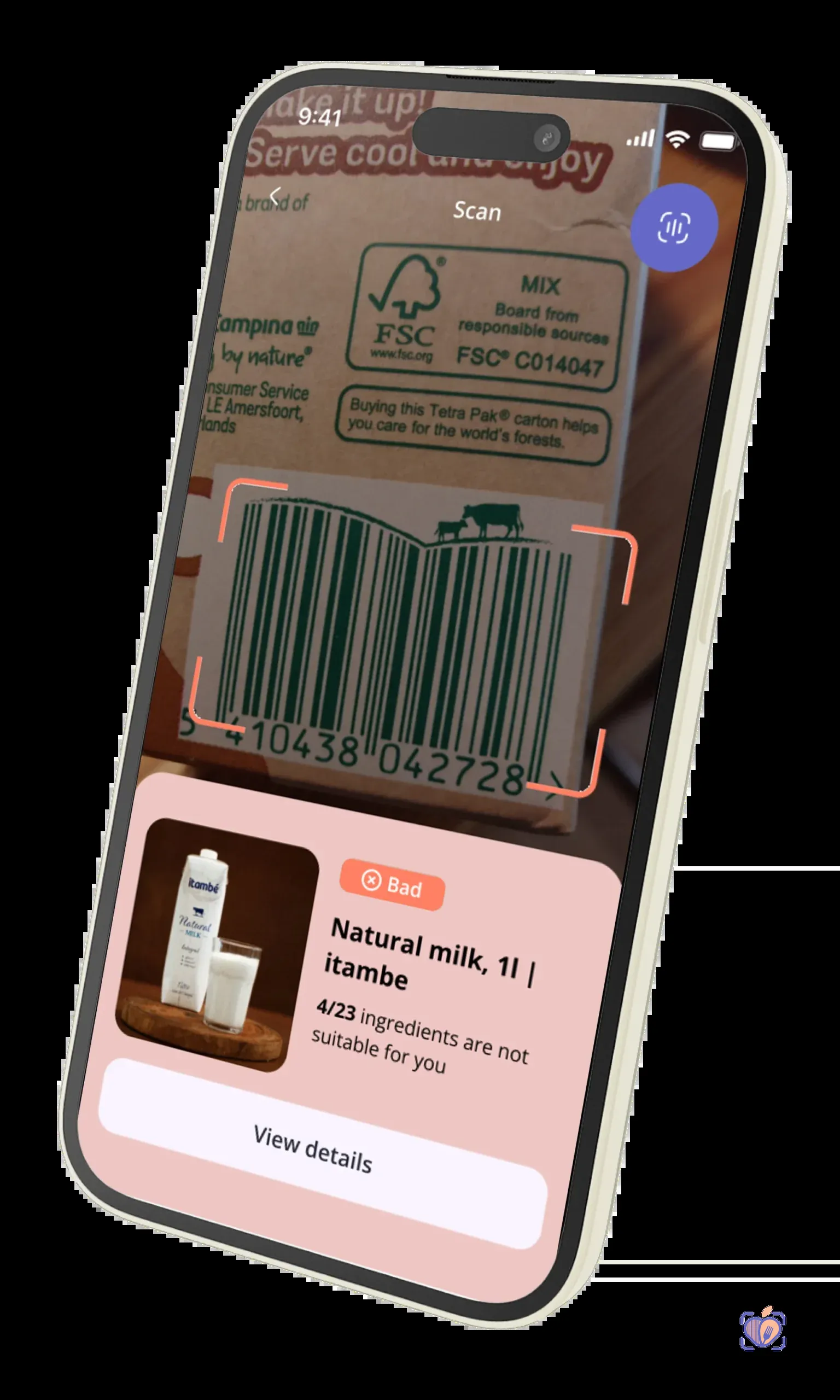
Let’s be direct. If your application handles food, you’re not just in the software business; you’re in the risk management business. The line of code you fail to write today could become the lawsuit that shutters your company tomorrow. This isn’t hyperbole. This is the new reality.
The regulatory landscape for food allergen labeling is a minefield. The EU’s Food Information to Consumers (FIC) Regulation No 1169/2011 sets a rigid standard for 14 major allergens. In the United States, the FDA’s FASTER Act of 2021 officially added sesame to its list of major food allergens, bringing the total to nine. The penalties for non-compliance are severe, but the damage to your brand from a single, preventable allergic reaction is catastrophic.
Your users trust you with their health, and in some cases, their lives. A simple oversight in parsing ingredient data can have devastating consequences. Relying on scraped data or a consumer-grade API is like navigating that minefield blindfolded. It’s not a question of if it will fail, but when.
This is not a feature you can afford to ‘get to later’. This is a foundational requirement for any modern food or health-tech application. You need a robust, reliable, and legally defensible way to handle allergen data.
This guide is for the CTOs, lead developers, and founders who understand this. We’re not going to talk about features; we’re going to talk about building a resilient, trustworthy application. We will provide a step-by-step, technical walkthrough of how to add allergen detection to a food app using a purpose-built, enterprise-grade API. We will show you how to move from a position of liability to one of strength.
Why Allergen Detection Matters in Food Apps (Liability & Regulations)
There are two primary drivers for implementing ironclad allergen detection: Legal Liability and User Trust. One protects your company, the other builds it.
1. The Regulatory Hammer: EU FIC & FDA FASTER Act
Governments are no longer passive observers in food safety. They are active enforcers.
- EU FIC 1169/2011: This is the gold standard for allergen regulation. It mandates that 14 specific allergens must be clearly identified and emphasized in the ingredient list of pre-packaged foods. If your app serves European users, you are expected to provide data that meets this standard.
- FDA FASTER Act: As of January 1, 2023, sesame is the 9th major food allergen recognized by US law. This change rendered countless databases and data-scraping methods instantly obsolete and non-compliant. Is your current data source FASTER-compliant? Are you certain?
Failure to provide accurate information aligned with these regulations opens your application up to legal challenges. Claiming ignorance of the source data’s accuracy is not a defense.
2. The Currency of Trust
For a user with a severe allergy to peanuts, milk, or soy, your app isn’t a convenience; it’s a critical safety tool. When they scan a barcode, they are placing their well-being in your hands.
- Accuracy builds loyalty: Providing precise, easy-to-understand allergen warnings is one of the most powerful trust signals you can send. It tells the user you take their safety seriously.
- Inaccuracy destroys brands: A single incident where your app fails to flag a known allergen can lead to a severe health crisis, a PR nightmare, and an exodus of users. Trust, once lost, is nearly impossible to regain.
An API isn’t just a technical solution; it’s your liability shield and your trust-building engine. Using a validated, professionally maintained data source like NutriGraph API is a deliberate business decision to de-risk your operations.
What Data You Actually Need (EU 14 + FDA 9 + Cross-Contamination Flags)
Many developers believe that a simple list of ingredients is sufficient. They are dangerously mistaken. To properly implement allergen detection, you need structured, multi-faceted data. A simple text blob of ingredients is an invitation to failure.
Here is the minimum viable dataset required to do this correctly:
- The EU’s 14 Major Allergens: Celery, Cereals containing gluten, Crustaceans, Eggs, Fish, Lupin, Milk, Molluscs, Mustard, Nuts, Peanuts, Sesame seeds, Soya, Sulphur dioxide.
- The FDA’s 9 Major Allergens: Milk, Eggs, Fish, Crustacean shellfish, Tree nuts, Peanuts, Wheat, Soybeans, and Sesame.
An effective API must cover all of these and clearly map which regulations apply. But that’s just the start. The real complexity lies in the nuances.
- Explicit Cross-Contamination Flags: This is where most solutions fail. The difference between “contains nuts” and “may contain nuts” is legally and medically significant. You need to distinguish between:
- Direct Ingredients: The allergen is intentionally part of the product’s recipe.
- Cross-Contamination Risk: The allergen is not in the recipe, but the product was made in a facility or on equipment that also handles the allergen. Statements like “processed in a facility that also handles peanuts” or “may contain traces of milk” fall into this category.
Your API response cannot be ambiguous. It needs to provide distinct, machine-readable fields for both detected_allergens and cross_contamination_risk. Without this separation, you are forced to make assumptions, and assumptions create liability.
Setting Up Your First Allergen API Call
Talk is cheap. Let’s build something.
We’ll use the NutriGraph API for this demonstration because it’s designed specifically for this level of regulatory and technical rigor. The goal is to take a product’s UPC/EAN barcode and, with a single API call, get back a structured JSON object containing all the allergen data we just discussed.
First, you need an API key. This isn’t the time for a sales pitch, so we’ll make it simple: go to NutriGraphAPI.com and grab a free developer key. It’s good for 1,000 calls. No credit card, no nonsense.
Let’s assume your API key is YOUR_API_KEY. We’re going to look up a fictitious product, “Artisan Whole Wheat Bread with Seeds,” with the barcode 0123456789012.
Using cURL
This is the simplest way to test the endpoint from your terminal. Replace YOUR_API_KEY with the key you just pulled.
curl -X GET 'https://api.nutrigraphapi.com/v1/product/barcode/0123456789012' \
     -H 'x-api-key: YOUR_API_KEY'

Using JavaScript fetch
Here’s how you would integrate this into a modern web application or a Node.js backend. This is production-ready code.
const barcode = '0123456789012';
const apiKey = 'YOUR_API_KEY';

const getAllergenData = async (upc) => {
  const url = `https://api.nutrigraphapi.com/v1/product/barcode/${upc}`;
  const options = {
    method: 'GET',
    headers: {
      'x-api-key': apiKey
    }
  };

  try {
    const response = await fetch(url, options);
    if (!response.ok) {
      // Handle non-2xx responses (e.g., 404 Not Found, 401 Unauthorized)
      throw new Error(`HTTP error! status: ${response.status}`);
    }
    const data = await response.json();
    console.log(data);
    return data;
  } catch (error) {
    console.error('Failed to fetch allergen data:', error);
    // Implement robust error handling: retry logic, user-facing messages
    return null;
  }
};

getAllergenData(barcode);
That’s it. One endpoint. One simple, authenticated GET request. The complexity is on our end, as it should be. Your job is to handle the clean, structured data that comes back.
Parsing the Response: detected_allergens, safe_from, cross_contamination_risk
This is the moment of truth. An API is only as good as the clarity of its response payload. A messy or ambiguous JSON object just pushes the hard work—and the liability—back onto you.
Here’s the JSON response you’ll get from the call we just made:
{
  "status": "success",
  "data": {
    "barcode": "0123456789012",
    "productName": "Artisan Whole Wheat Bread with Seeds",
    "ingredients": "Whole wheat flour, water, sunflower seeds, sesame seeds, yeast, salt, traces of milk.",
    "allergens": {
      "detected": [
        { "name": "Wheat", "regulation": "FDA, EU" },
        { "name": "Sesame", "regulation": "FDA, EU" },
        { "name": "Milk", "regulation": "FDA, EU" }
      ],
      "safe_from": [
        "Peanuts",
        "Tree Nuts",
        "Soy",
        "Eggs",
        "Fish",
        "Shellfish",
        "Mustard",
        "Lupin"
      ],
      "cross_contamination_risk": [
        {
          "allergen": "Tree Nuts",
          "statement": "May contain traces of tree nuts.",
          "risk_level": "low"
        },
        {
          "allergen": "Soy",
          "statement": "Processed on equipment that also processes soy.",
          "risk_level": "medium"
        }
      ]
    },
    "advisories": [
      "May contain traces of tree nuts.",
      "Processed on equipment that also processes soy."
    ]
  }
}
Let’s dissect this. It’s built for purpose.
allergens.detected: This is an explicit list of allergens that are direct ingredients in the product. This is your primary, high-certainty warning list. We even include the regulations (FDA, EU) under which the substance is considered an allergen, providing an audit trail.allergens.safe_from: We don’t force you to guess. This array explicitly lists the major allergens that were not detected as ingredients. This allows you to build powerful UI features like “Safe for Peanut Allergies” with confidence.allergens.cross_contamination_risk: This is the critical part for handling liability. It’s a structured array detailing potential contaminants. We don’t just give you a vague “may contain” string. We identify the specific potential allergen (Tree Nuts,Soy), provide the exact manufacturer’s statement, and even assign arisk_levelto help you prioritize warnings.advisories: A simple array of human-readable warning strings that you can display directly to the user.
With this structure, there is no ambiguity. You can now build your application logic with precision.
Displaying Allergen Warnings in Your UI (Accessibility + Legal Best Practices)
Getting the data is half the battle. Presenting it effectively, accessibly, and safely is the other half. Here are some non-negotiable best practices.
1. Use Clear, Unambiguous Visuals
Don’t bury allergen information. Use a combination of color, icons, and clear typography. Red or orange are standard for warnings.
2. Separate Direct Allergens from Cross-Contamination Risks
Do not lump detected and cross_contamination_risk allergens together. This is confusing and medically imprecise. A user with a mild intolerance might be willing to accept a cross-contamination risk, while a user with anaphylaxis will not. They need to be able to tell the difference instantly.
Here’s a simplified React/JSX example of how you might render this:
function AllergenInfo({ productData }) {
  const { detected } = productData.allergens;
  const { cross_contamination_risk } = productData.allergens;

  return (
    <div className="allergen-card">
      {detected.length > 0 && (
        <div className="allergen-section contains">
          <h3>Contains These Allergens</h3>
          {/* Announce changes to screen readers */}
          <ul aria-live="polite">
            {detected.map(allergen => (
              <li key={allergen.name}>{allergen.name}</li>
            ))}
          </ul>
        </div>
      )}

      {cross_contamination_risk.length > 0 && (
        <div className="allergen-section may-contain">
          <h3>Potential Cross-Contamination</h3>
          <p>This product is made in a facility that may also handle:</p>
          <ul aria-live="polite">
            {cross_contamination_risk.map(risk => (
              <li key={risk.allergen}>{risk.allergen} ({risk.statement})</li>
            ))}
          </ul>
        </div>
      )}

      <div className="legal-disclaimer">
        <p>Allergen information is provided by the manufacturer. Always read the product label. Consult a medical professional for any health concerns.</p>
      </div>
    </div>
  );
}
3. Prioritize Accessibility
Your user might be visually impaired. Use ARIA attributes like aria-live="polite" to ensure screen readers announce allergen warnings as they appear. Use sufficient color contrast.
4. Include a Legal Disclaimer
Always include a disclaimer that advises users to read the physical product label and consult with a healthcare professional. While the API provides high-quality data, the ultimate source of truth is the packaging in the user’s hand. This is a crucial layer of legal protection.
Handling Edge Cases: “May Contain”, Shared Equipment, Compound Ingredients
An application’s quality is defined by how it handles edge cases. The food world is full of them.
- “May Contain” Statements: As we’ve seen, NutriGraph API parses these and places them in the
cross_contamination_riskobject. Your logic should treat this as a serious warning, but distinct from a confirmed ingredient. - Shared Equipment: This is a specific type of cross-contamination. Our data pipeline is trained to recognize statements like “processed on equipment that also processes soy” and flag it appropriately, providing you with the structured data to inform the user.
- Compound Ingredients: What if an ingredient is “biscuit crumble,” and that crumble contains wheat and milk? A simple text search for “wheat” in the main ingredient list would fail. This is where a professional data service is essential. NutriGraph API’s data team and AI models analyze these nested ingredients, so a query for a product containing “biscuit crumble” will correctly return
WheatandMilkin thedetectedallergens array. You don’t have to build a complex NLP parser—we’ve already done it.
Handling these cases manually is not scalable and is prone to error. You need an API that has already solved these problems at the data layer.
Going Further: Combining Allergen + Dietary + Religious Compliance in One Call
Your users’ needs are multifaceted. The person with a lactose intolerance might also be a vegan. The user with celiac disease might also keep kosher.
Your architecture should reflect this. Making separate API calls for allergens, then for dietary preferences, then for religious certifications is inefficient. It increases latency, complexity, and cost.
A well-designed API platform allows you to fetch all of this data in a single, consolidated request. With NutriGraph API, you can use a query parameter to request additional data modules.
For example:
https://api.nutrigraphapi.com/v1/product/barcode/0123456789012?include=dietary,religious
This single call would enrich the JSON response, adding new objects alongside the allergens block:
{
  // ... same product and allergen data as before
  "dietary": {
    "is_vegan": false,
    "is_vegetarian": true,
    "is_gluten_free": false,
    // ... and more
  },
  "religious": {
    "is_kosher": false,
    "is_halal": false
  }
}
Now, you can build a comprehensive, powerful user experience without cluttering your codebase with redundant API calls. You can empower your users to filter and search based on a complete picture of their needs, making your app indispensable.
Your Next Step Is Clear
We have laid out the new standard for allergen detection in food-tech applications. The path from liability to reliability runs through a robust, specialized API.
You have seen the code. You have seen the structured JSON response. You have seen the clarity it provides.
The next step is not to have another meeting about it. The next step is to write a line of code.
Go to NutriGraphAPI.com and get your free 1,000-call developer key. Make the cURL request we showed you. See the JSON for yourself.
Stop reading. Start building. Your users—and your lawyers—will thank you.