A slow food API is a silent killer. It doesn’t crash your app with a spectacular error log. It just quietly bleeds you of your users, one by one. Picture this: a health-conscious user is standing in a grocery aisle. They’re on a spotty 3G connection. They scan a barcode, your app spins a loading wheel for two, maybe three seconds. In that brief moment of frustration, a decision is made. They don’t just close the app. They uninstall it. And they never come back.
That’s not a technical problem; it’s a business problem. That’s a failure of the experience. In the world of health and nutrition tech, speed isn’t a feature—it’s the foundation of trust. Your users rely on you for instant, accurate information to make decisions about what they put in their bodies. A delay isn’t an inconvenience; it’s a breach of that trust.
We’re not here to talk about marginal gains. We’re here to talk about the architectural decisions that separate a category-defining application from a deleted one. This isn’t just another blog post. This is a technical whitepaper for CTOs and lead developers who understand that user retention is built on a bedrock of sub-50 millisecond response times. We’re going to dissect the problem of latency, expose the failings of legacy systems, and give you the playbook for building a data-driven nutrition app that feels like magic.
The Hidden Cost of Latency in Health-Tech Applications
In most industries, latency is measured in dollars. In health-tech, it’s measured in user churn. The cost of a slow API isn’t just a line item on a server bill; it’s a compounding debt that erodes your user base, tarnishes your brand, and ultimately starves your business of growth.
Think about the critical moments in your user’s journey:
- The Point of Decision: A user is at a restaurant drive-thru, trying to quickly look up the calories at Sonic for two different burger options. If your app takes longer than it takes for the car in front of them to move, they’ve abandoned the search and made a blind choice. Your app failed its one job at the most crucial moment.
- The Meal Prep Routine: A user is planning their meals for the week, adding a dozen items to their log. If each item takes 1.5 seconds to fetch and process, what should be a 30-second task becomes a multi-minute chore. They will find a faster tool.
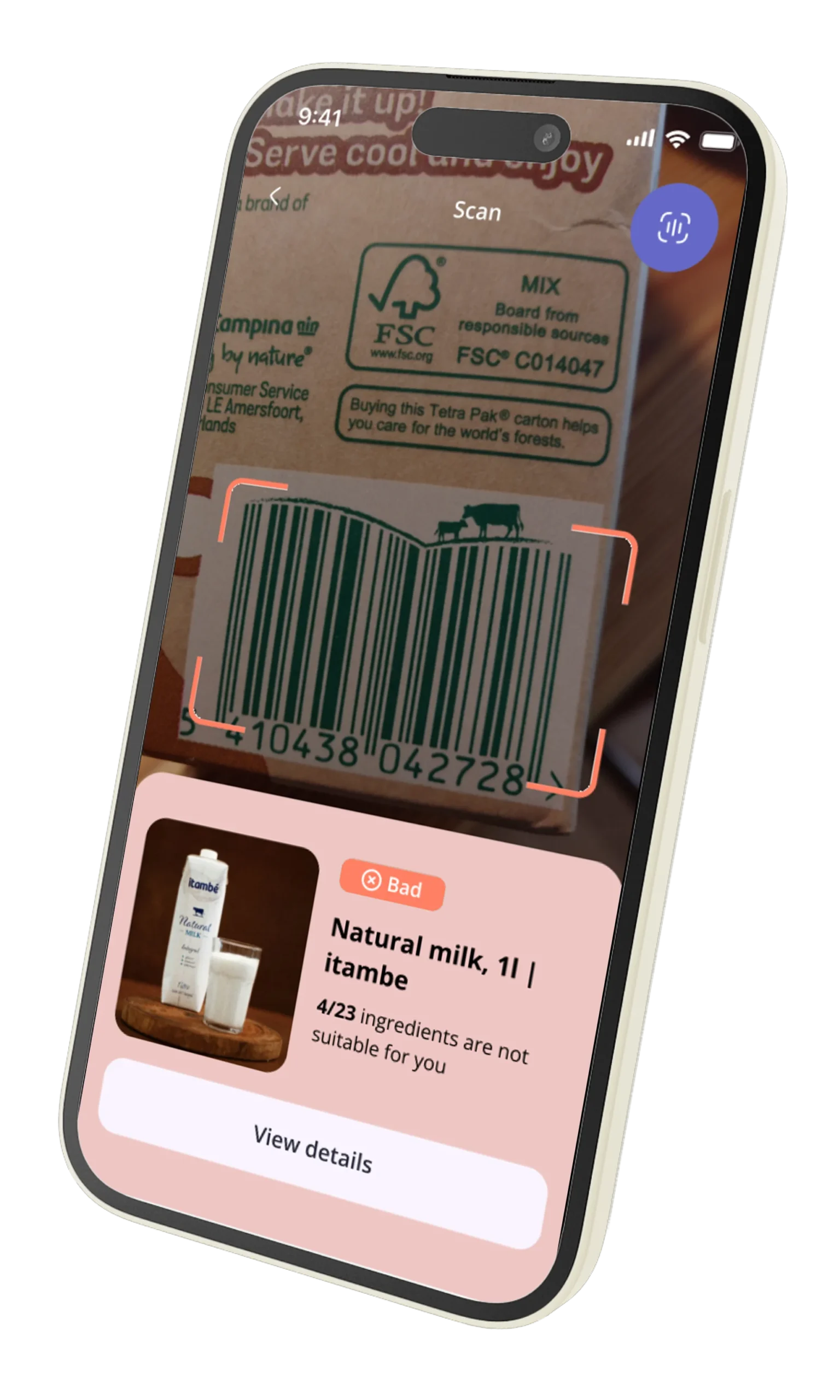
- The Barcode Scan: This is the ultimate test. It’s an interactive, real-world engagement. The expectation is instant feedback, like a retail price checker. Anything less than 500ms feels broken. Anything over a second is a death sentence.
According to data from Google, a 1-second delay in mobile page load times can impact conversion rates by up to 20%. For an in-app API call, the psychological impact is even greater. It’s not an anonymous webpage; it’s a tool they’ve chosen to install and trust. A delay feels like a personal failure of the product.
This friction accumulates. It leads to:
- Negative App Store Reviews: Users don’t write, “The API had a p95 latency of 1800ms.” They write, “This app is slow and clunky. Useless. 1 star.” These reviews are a permanent stain on your acquisition funnel.
- Reduced Engagement: Users who experience frequent delays learn to use the app less. They stop scanning, they stop logging, and eventually, they stop opening it altogether.
- Increased Churn: The final outcome. Once a user finds a faster alternative, you will not get them back. The cost of acquiring a new user is 5x higher than retaining an existing one, making latency a direct assault on your company’s profitability.
Latency isn’t a rounding error in your performance metrics. It’s the single greatest technical threat to your product’s success. Your choice of a data provider is, therefore, one of the most critical architectural decisions you will make.
Why Legacy APIs (like Edamam/Spoonacular) Slow Down on Complex Allergen Queries
Many product teams start with a legacy food API because it seems convenient. They have large datasets, and they’ve been around for a while. But these platforms were often built on monolithic architectures designed for a different era of the internet. Their foundations are ill-suited for the demands of modern, interactive mobile applications, and the cracks begin to show the moment you ask a difficult question.
The problem lies in the data model and indexing strategy. A typical legacy system might use a massive, normalized SQL database. When a user performs a simple search, like fetching a single product by UPC, it’s reasonably fast. But your users have more complex needs.
Consider this query: “Show me all the chicken sandwiches at Sonic that are gluten-free, dairy-free, but not soy-free.”
On a legacy API, here’s what’s likely happening under the hood:
- A full-text search is performed on a
foodstable with millions of rows to find items containing “chicken sandwich” and belonging to the “Sonic” brand. - The resulting IDs are then joined against a
food_allergenslink table. - A complex
WHEREclause with multipleNOT INorLEFT JOIN...IS NULLconditions is applied to filter out gluten, dairy, and include soy.
This is a database nightmare. The query planner struggles, indexes might not be fully utilized, and the database is forced to perform multiple scans and joins across massive tables. The response time balloons from milliseconds to multiple seconds, especially under concurrent load. The database becomes the bottleneck for the entire system.
This architectural flaw is why so many apps powered by older APIs feel sluggish. They are optimized for simple key-value lookups, not for the complex, multi-faceted queries that real users perform every day. They can’t efficiently answer whether a specific menu item is both low-carb and nut-free without a performance penalty that gets passed directly to your user, who is still waiting in that drive-thru line.
They have a large database, but it’s a library with a disorganized card catalog. We didn’t just build a library; we indexed every word on every page.
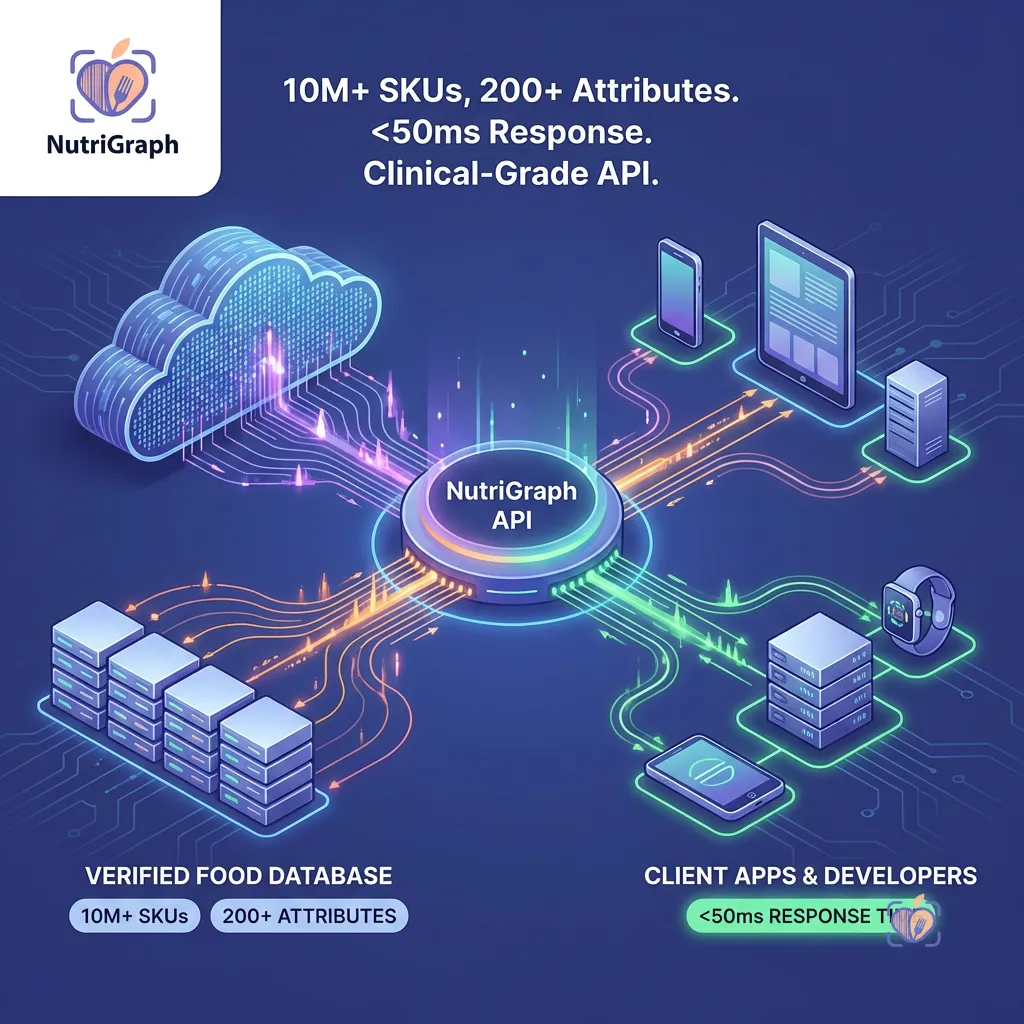
How NutriGraphAPI Achieves Sub-50ms Latency (O(1) B-Tree Indexing, Edge Computing)
We didn’t set out to build a slightly faster API. We set out to solve the latency problem from first principles. Our entire architecture is purpose-built for one thing: delivering comprehensive nutrition data with predictable, ultra-low latency, regardless of query complexity. We achieve this through a multi-layered approach.
O(1) B-Tree & Hash Map Indexing
Our data is not stored in a conventional relational structure. We use a combination of data stores optimized for specific access patterns. The core of our system is a custom-built search index inspired by the principles of modern search engines.
- UPC/Barcode Lookups: Every barcode (UPC/EAN) is stored as a key in a distributed hash map. This means a lookup is an O(1) operation. It’s the fastest possible access pattern, providing a response in single-digit milliseconds (excluding network time). There is no database query, no join, no calculation.
- Branded Food Lookups: A search for “calories at sonic” doesn’t trigger a
LIKE '%sonic%'query. Instead, we use inverted indexes, a core component of B-Tree data structures. The term “sonic” maps directly to a list of document IDs for every food item associated with the brand. This lookup is an O(log n) operation, which for all practical purposes is nearly instantaneous across our massive dataset. - Compound Allergen Queries: We pre-compute and materialize results for common attribute combinations. Allergen and dietary information (e.g., ‘gluten-free’, ‘vegan’) are treated as tags in our index. When a query comes in for “gluten-free and dairy-free,” we perform a rapid intersection of two pre-sorted lists of document IDs. This is orders of magnitude faster than a traditional SQL join.

Edge Computing & Global Caching
Database performance is only half the battle. The speed of light is a hard limit, and the distance between your server and your user is a major source of latency. A user in Sydney making a request to a server in Virginia, USA will always have a minimum of 200-250ms of round-trip-time (RTT) latency before your server even begins processing the request.
NutriGraphAPI is deployed on a global edge network. This means:
- Edge Termination: User requests are terminated at an edge server closest to them—be it in London, Tokyo, or São Paulo. This dramatically reduces RTT.
- Intelligent Caching: Our most frequently accessed data—the nutrition profile for a Coca-Cola, the list of items at McDonald’s—is cached at these edge locations. For a huge percentage of your requests, the answer is delivered directly from the edge, resulting in response times that are consistently below 50ms.
- Tiered Backends: If the data isn’t at the edge, the edge server makes an optimized, persistent connection to the nearest regional backend, which in turn queries our core data stores. This entire network is tuned for speed.
By combining a superior data indexing strategy with a globally distributed infrastructure, we move the processing and the data as close to the user as physically possible. That is how you deliver a truly instantaneous experience.
Implementing a Redis Cache for Your Barcode Requests
Even with a sub-50ms API, a well-implemented local cache is a critical component of a high-performance application. Caching on your backend reduces redundant API calls, lowers your costs, insulates you from transient network issues, and provides an additional speed boost for repeat requests.
Redis is an in-memory key-value store that is perfect for this task. Let’s walk through a simple but powerful implementation in Python for caching barcode lookups.
The Goal: Before calling the NutriGraphAPI for a given UPC, we’ll first check our Redis cache. If the data is there (a cache hit), we’ll return it instantly. If not (a cache miss), we’ll call the API, store the result in Redis with a Time-To-Live (TTL), and then return it.
Here is a code snippet demonstrating the pattern:
import redis
import requests
import json
import os

# --- Configuration ---
# Best practice: Use environment variables for sensitive data
NUTRIGRAPH_API_KEY = os.environ.get('NUTRIGRAPH_API_KEY')
NUTRIGRAPH_API_URL = 'https://api.nutrigraphapi.com/v1/upc'
REDIS_HOST = 'localhost'
REDIS_PORT = 6379

# --- Redis Connection ---
# Use a connection pool in a real application
r = redis.Redis(host=REDIS_HOST, port=REDIS_PORT, db=0, decode_responses=True)

def get_nutrition_by_upc(upc_code: str):
    """
    Fetches nutrition data for a given UPC, utilizing a Redis cache.
    """
    # 1. Define the cache key
    cache_key = f"upc:{upc_code}"

    # 2. Try to fetch from Redis first (Cache Hit)
    try:
        cached_data = r.get(cache_key)
        if cached_data:
            print(f"CACHE HIT for UPC: {upc_code}")
            return json.loads(cached_data)
    except redis.exceptions.ConnectionError as e:
        print(f"Redis connection error: {e}. Bypassing cache.")

    # 3. If not in cache, call the API (Cache Miss)
    print(f"CACHE MISS for UPC: {upc_code}. Fetching from NutriGraphAPI.")
    headers = {
        'Authorization': f'Bearer {NUTRIGRAPH_API_KEY}'
    }
    params = {
        'upc': upc_code
    }

    try:
        response = requests.get(NUTRIGRAPH_API_URL, headers=headers, params=params)
        response.raise_for_status() # Raises an HTTPError for bad responses (4xx or 5xx)
        api_data = response.json()

        # 4. Store the API response in Redis with a TTL
        # Set TTL to 24 hours (86400 seconds). Adjust based on how often your data might change.
        try:
            r.setex(cache_key, 86400, json.dumps(api_data))
        except redis.exceptions.ConnectionError as e:
            print(f"Redis connection error on setex: {e}. Could not cache response.")

        return api_data

    except requests.exceptions.RequestException as e:
        print(f"API request failed: {e}")
        # Handle API errors appropriately (e.g., return a default error object)
        return None

# --- Example Usage ---
if __name__ == '__main__':
    # Example UPC for a popular soda
    sample_upc = '049000028904'

    # First call - should be a CACHE MISS
    data1 = get_nutrition_by_upc(sample_upc)
    if data1:
        print(f"Fetched data: {data1['name']}")

    print("\n--------------------\n")

    # Second call - should be a CACHE HIT
    data2 = get_nutrition_by_upc(sample_upc)
    if data2:
        print(f"Fetched data: {data2['name']}")
Key Considerations:
- Cache Key Strategy: A consistent naming convention like
object_type:idis crucial. Here,upc:049000028904is clear and avoids collisions. - Time-To-Live (TTL): The
setexcommand in Redis sets a key with an automatic expiration. This is vital. You don’t want to serve stale nutrition data indefinitely. A TTL of 24 hours is a reasonable starting point for most CPG products. - Error Handling: Notice the
try...exceptblocks. Your application must be resilient to cache failures. If Redis is down, your logic should gracefully bypass it, call the API directly, and continue serving the user. - Serialization: Redis stores strings. We use
json.dumps()to serialize our Python dictionary before storing it andjson.loads()to deserialize it upon retrieval.
Implementing this pattern for your most frequent queries is a low-effort, high-impact optimization that will dramatically improve your application’s performance and resilience.
Rate Limiting vs Throttling: How to Scale to 1,000,000 Users Without Breaking the Bank
As your application grows, managing API usage becomes critical for both performance and cost control. The terms “rate limiting” and “throttling” are often used interchangeably, but they represent different strategies for controlling traffic.
Rate Limiting is a hard ceiling. It says, “You are allowed a maximum of 100 requests per second. The 101st request within that second will be rejected,” typically with a 429 Too Many Requests status code. This is a blunt instrument, effective at preventing abuse and denial-of-service attacks, but it can create a poor user experience. A sudden, legitimate burst of traffic—like thousands of users opening your app at 9 AM—could cause requests to fail, leaving users with errors.
Throttling is a more graceful approach. It’s about shaping the flow of traffic. The most common algorithm is the “token bucket.” Imagine a bucket that can hold 100 tokens. Tokens are added to the bucket at a steady rate, say 50 per second. Each API request consumes one token. If a burst of 100 requests arrives, they can all be processed immediately by emptying the bucket. Subsequent requests must then wait for new tokens to be added. This allows your application to handle legitimate bursts while ensuring the average request rate stays within a sustainable limit.
At NutriGraphAPI, we employ a sophisticated throttling system. We understand that application traffic is naturally bursty. Our system is designed to absorb these peaks without rejecting requests, providing a smooth and reliable experience for your end-users. This means you don’t have to over-provision your plan to handle peak load, and you don’t have to implement complex client-side retry logic to handle rejected requests.
For your own architecture, this distinction is key. When communicating with third-party APIs, understand their policy. For your own internal services, consider a throttling approach to improve resilience. By partnering with a provider like NutriGraphAPI that throttles intelligently, you remove a major scaling headache and can focus on building features, confident that the underlying infrastructure can handle the load as you scale to your first million users and beyond.
Asynchronous vs Synchronous Fetching for Meal Planning Apps
Architectural choices on the client-side are just as important as the server-side. The way you fetch data can be the difference between an app that feels fluid and one that feels frozen. This is especially true in features like meal planning, where a user might perform multiple data-intensive actions in quick succession.
Let’s consider a user building a recipe. They add five ingredients to their list.
The Synchronous Approach (The Wrong Way):
- User adds “1 cup of flour.”
- App sends API request for “flour.” Waits.
- API responds. App UI updates.
- User adds “2 eggs.”
- App sends API request for “eggs.” Waits.
- API responds. App UI updates.
- …and so on.
Each action blocks the next. The total time to add five ingredients is the sum of all five individual API call latencies. The UI feels laggy and unresponsive. If one request is slow, the entire process grinds to a halt.
The Asynchronous Approach (The Right Way):
- User adds “1 cup of flour.”
- User adds “2 eggs.”
- User adds “100g of butter.”
- The app fires off three API requests in parallel.
- As each request completes, its respective UI element is updated independently.
The total time to process all requests is now dictated by the single slowest request, not the sum of all of them. In JavaScript, this can be easily implemented with Promise.all or by handling each promise individually. The user experiences a fluid, non-blocking interface where they can continue working while data is fetched in the background.
This pattern is only viable if your API provider can handle the concurrent load. A legacy API might falter under 5-10 parallel requests from a single client, either through strict rate limiting or because its own database becomes a bottleneck. NutriGraphAPI’s architecture is built for this kind of concurrency. Our low latency and efficient processing mean that asynchronous patterns are not just possible; they are the recommended way to build the best possible user experience. We give you the speed you need to build interfaces that feel instantaneous.
Your choice of a data provider is not an implementation detail; it is a foundational product decision. It dictates the speed of your application, the satisfaction of your users, and your ability to scale. You can build on legacy infrastructure that treats speed as an afterthought, or you can build on a modern platform designed from the ground up for performance.
Don’t let a slow API be the silent killer of your app. Don’t take our word for it.
Test our latency against your current provider at nutrigraphapi.com/pricing.